Many coffees,
one journey.
Keep every bag and every brew in one place. Streamline logging new coffees and your brewing workflow, so that you can focus on improving your next brew and enjoying the one right in front of you.
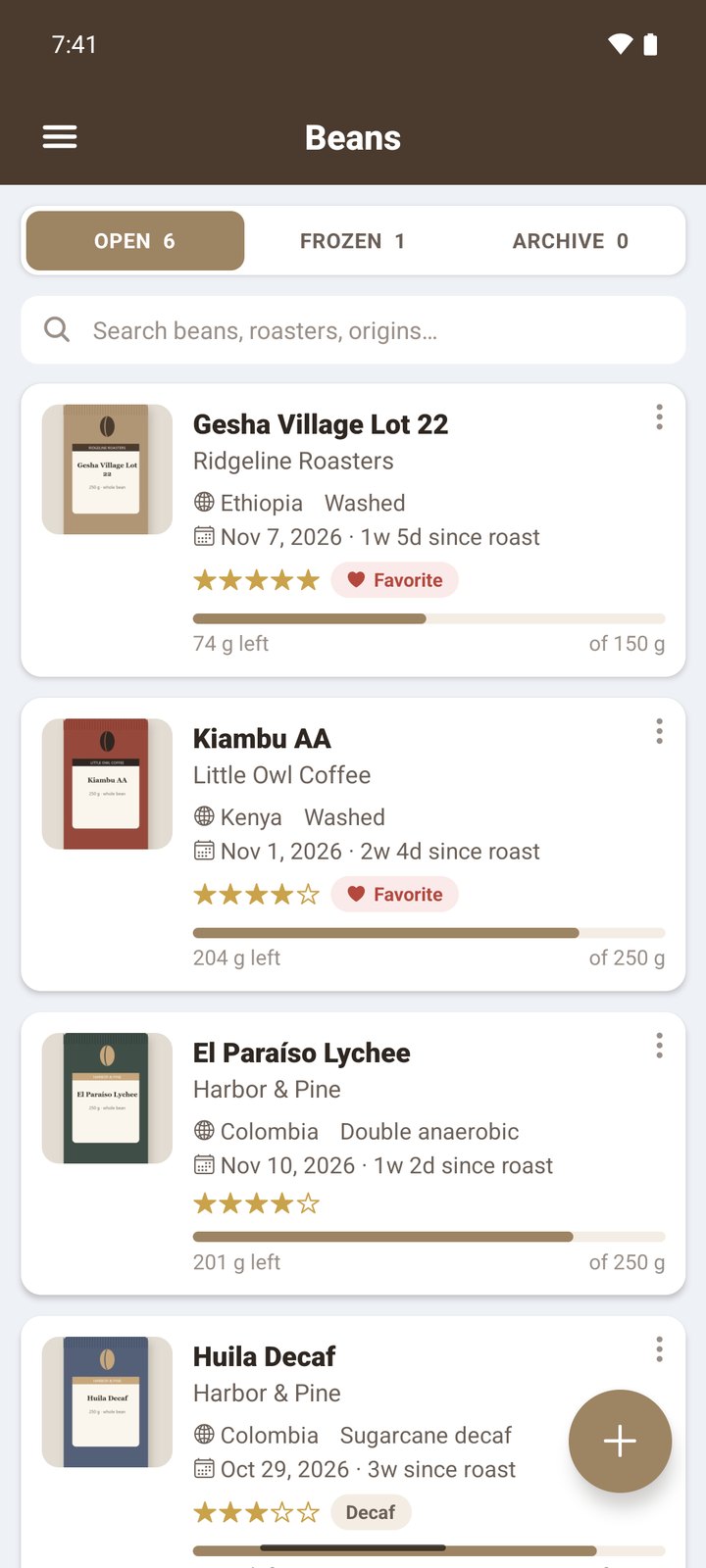
Snap a bag,
the details fill in
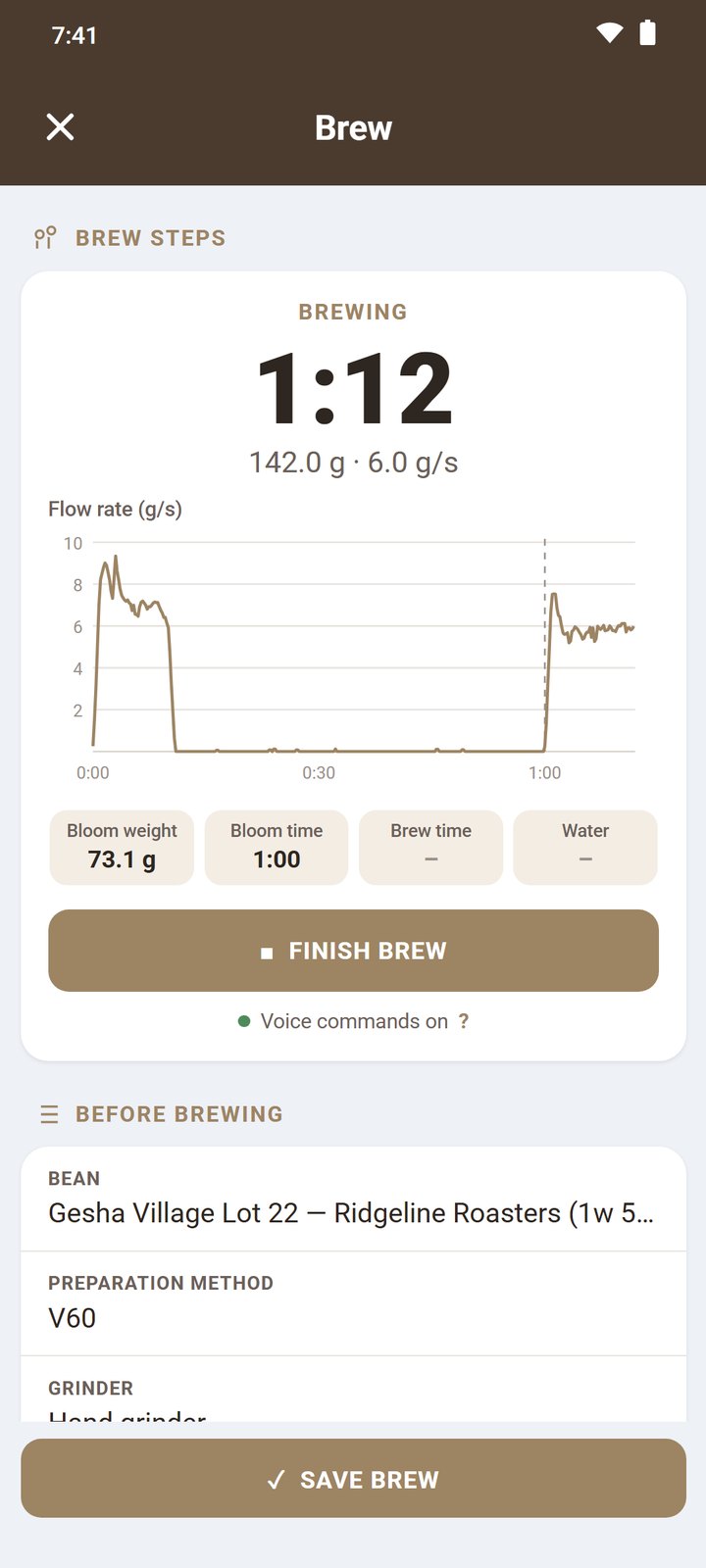
Autolog brew metrics with
your Bluetooth scale
Stays on your phone,
no account necessary
Snap the label.
The details fill in.
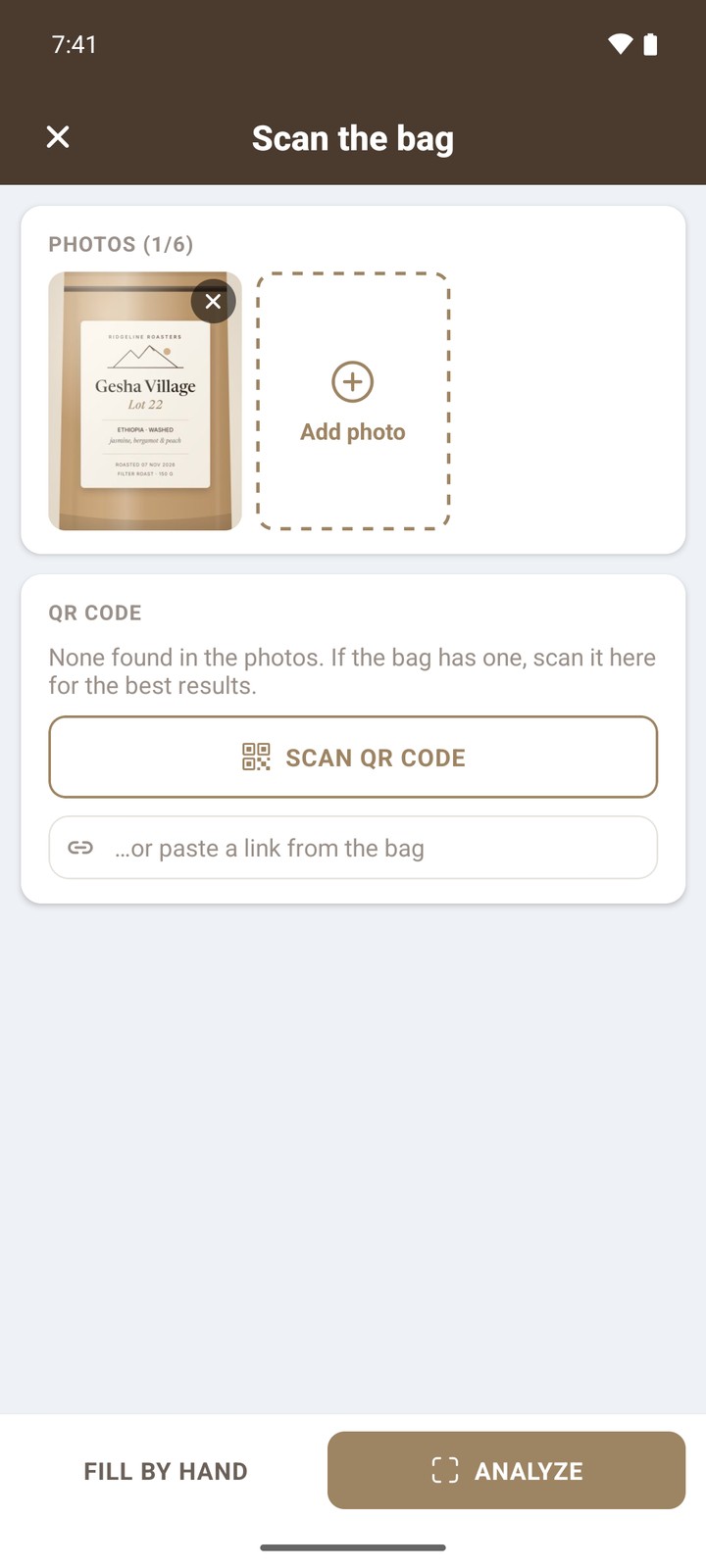
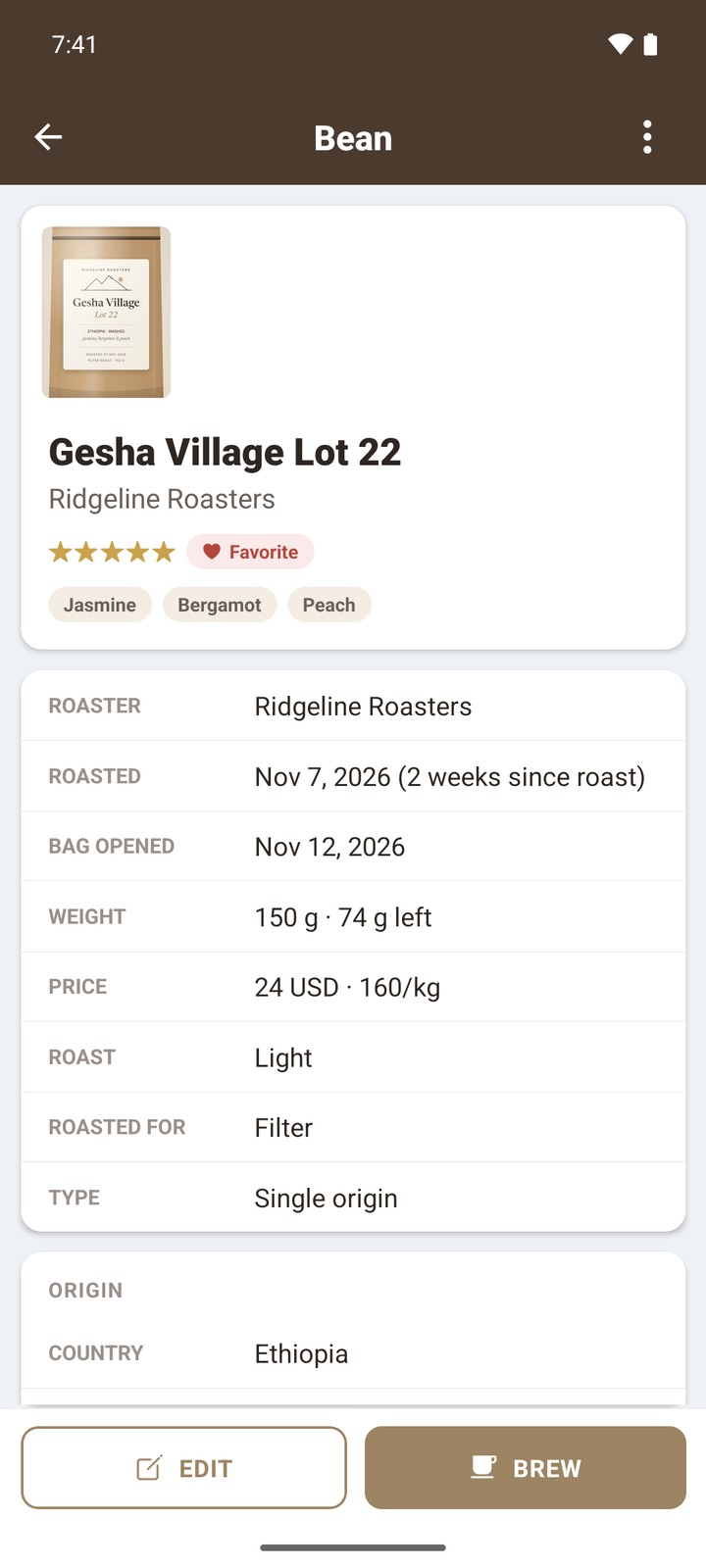
Take a photo of the bag. BeanPad finds the coffee in its roaster archive of thousands of coffees from over 50 specialty roasters: origin, farm, variety, process and tasting notes.
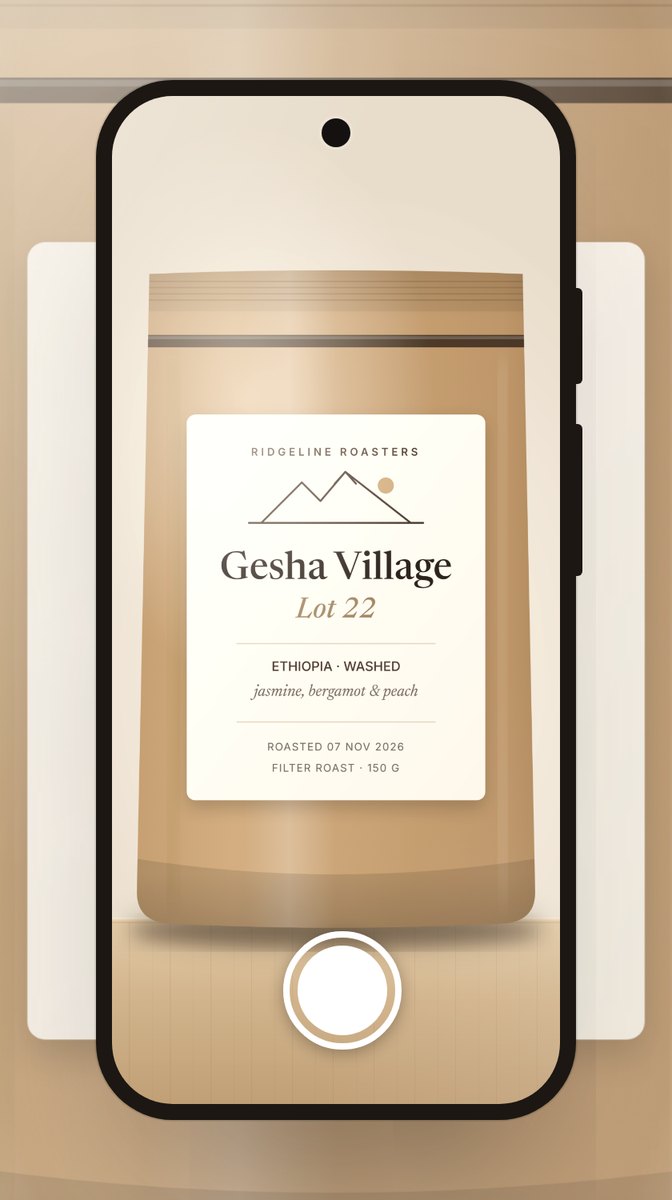
Snap the label
Photograph the bag and BeanPad does the typing for you.
Beyond just the bag
Information from the archive brings in info not even found on the bag.
Pour.
BeanPad keeps the notes.
As hands off as you can get, keeping your hands on your gear and your focus on your brew.
Voice commands to log weights for whole beans, grounds, and to start or stop a brew.
Bloom weight and bloom time are caught automatically.
Live flow rate while BeanPad logs important metrics like average and peak flow for the bloom and other pours.
Swirl or lift the brewer: accounted for and left out of your flow rate metrics.
Acaia · Bookoo · DiFluid
Varia · Timemore
Or no scale at all.
Pair it once in Settings and it connects by itself whenever BeanPad is open.
Dial in,
brew after brew
- 1Finish a brew
- 2See what changed since last time
- 3Pick what to change next Waits on your next brew ✓
Better than
your last cup.
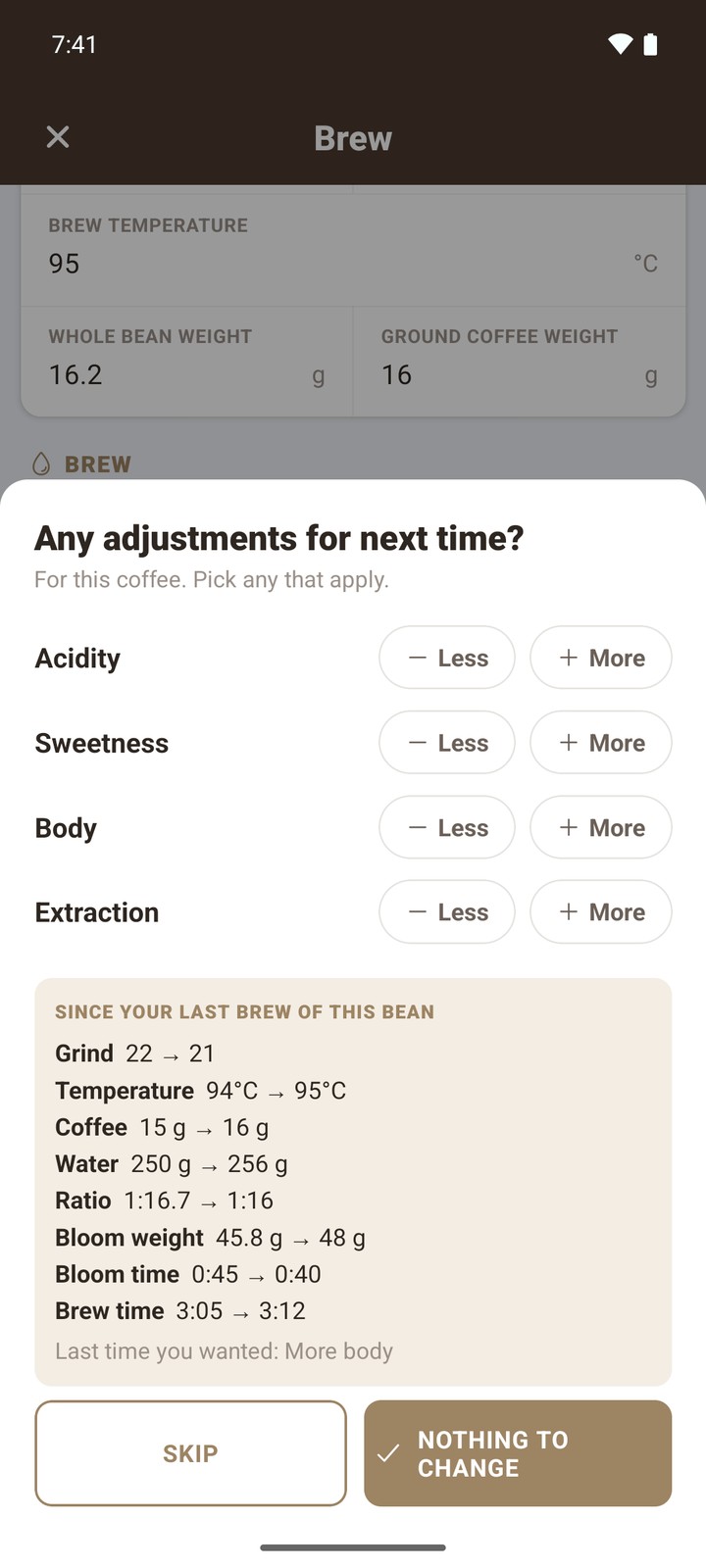
When a brew finishes, BeanPad shows what changed since your last brew of the same coffee — grind, ratio, temperature, times — and asks what you'd change next time: more or less acidity, sweetness, body or extraction.
Notes from last brew wait on your next one. Dial in across multiple brews even with a long time in between.
Every bag adds to your story.
BeanPad writes while you live it,
cup after cup.
Your beans, brews and photos stay on your phone. No account necessary.
Small things
that add up.
Flow charts on every brew
See the shape of each pour on your brew cards, and slide a finger along a chart for the exact time and flow.
Freeze part of a bag
Split off what goes in the freezer. BeanPad tracks how long it's been frozen, and the bag's weight follows.
Your methods and water
V60, Kalita, iced, AeroPress — with pours and bloom ratio. Water profiles with hardness, alkalinity and TDS.
Grinders and settings
Log the grinder, setting and speed for every brew, so a good cup is easy to repeat.
Zip export and import
Take everything, photos included, to a new phone in one file. Coming from another coffee logging app? Bring your history along.
Favorites and ratings
Star your brews and beans, mark favorites, and find any coffee by roaster, origin or name.
Questions?
Good to know.
Do I need a Bluetooth scale?
No. Without a scale you type the weights in and use BeanPad's timer; tap Bloom when the second pour starts. A scale just does more of the logging for you.
Which scales work?
Acaia (Pearl, Pearl S, Lunar, Pyxis and others), Bookoo Themis Mini and Ultra, DiFluid Microbalance and Microbalance Ti, Varia Aku and Aku Mini, and Timemore Black Mirror, Basic 3 and Dot. Pair it once in Settings and it connects by itself whenever BeanPad is open.
Where is my data stored?
On your phone. There's no account. Export a zip at any time to back up or move to another phone.
Can I bring my data from another coffee logging app?
Yes. Export from your old app and import the file in BeanPad: beans, brews, methods, grinders and water come across, with flow charts and photos when you include them.
When is it out? What about iPhone?
BeanPad is coming to Google Play first. The iPhone version follows after the Android launch.